One extra byte changed the local response
The inspected Vidlune handler uses 200 × 1024 × 1024 bytes for its final output check—209,715,200 bytes, or 200 MiB—although the error label says “200 MB.”
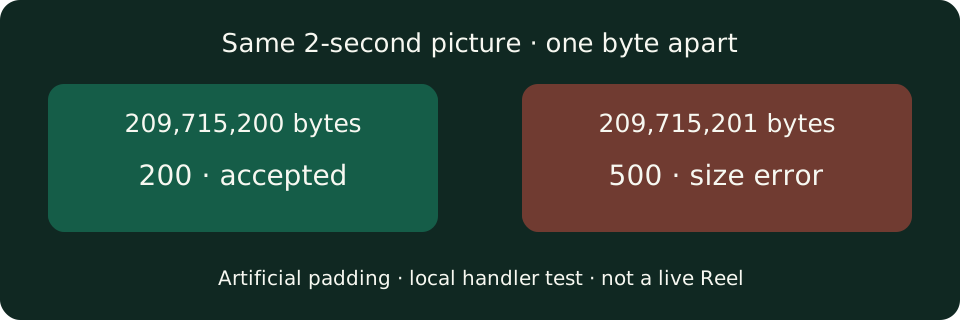
On October 7, we generated a two-second black H.264 video and added an artificial MP4 padding box to make three exact file sizes. FFmpeg still reported 2.00 seconds, and all three decoded-frame hash ledgers matched. The handler returned these results:
| Fixture size (bytes) | Local HTTP response | Result |
|---|---|---|
| 209,715,199 | 200 | Response accepted |
| 209,715,200 | 200 | Response accepted |
| 209,715,201 | 500 | FILE_TOO_LARGE |
The rejected response said: “The downloaded media is over the 200 MB limit.” For accepted responses, we checked Content-Length, read the first chunk and cancelled the stream locally; we did not complete a browser save. The padding was deliberately artificial, not an Instagram file or evidence that a normal two-second Reel is this large.
The check also counted the combined output
A separate fixture produced two MP4 outputs. Two files of 104,857,600 bytes each totaled 209,715,200 bytes and returned 200; the response selected one 104,857,600-byte file. Increasing each file by one byte made the total 209,715,202 bytes and returned 500 with FILE_TOO_LARGE, even though neither file individually exceeded the cutoff.
This tests the handler's aggregate guard when the controlled downloader leaves two output files. It does not mean the public tool offers batch downloads or that Instagram normally returns two MP4s.
A size-abort message can take two different paths
We then made the controlled downloader print the same size-abort text without creating an output file. With exit code 1, the handler returned 500 and FILE_TOO_LARGE: “This file is over the 200 MB MVP limit. Please try a shorter video.” With exit code 0, it returned 400 and UNSUPPORTED_MEDIA: “No downloadable reels media was returned. The post may be private, unavailable or unsupported.”
These two injected exits show why that second error alone cannot identify the cause of every failed download. We did not reproduce either exit on a live Reel in this test.
The underlying file-size problem is also raised in an original download-size question from August 2024: the author asks about predicting total bytes or stopping a transfer when it crosses a limit. That is general downloader context, not a report about Vidlune or proof of the behavior of a particular Instagram link.
Test record and reproduction
October 7, 2026, 22:32:04–22:32:10 (Asia/Shanghai); DESKTOP-OC01O77; Windows 11 Pro 10.0.28000 x64; Node v24.19.0; FFmpeg 7.1. We called the project's download handler locally with a controlled downloader. Its source hash matched the preserved production-source snapshot. No production media request or quota bypass was made.
Read the recorded inputs, results and source hash, or download the self-contained reproduction files. Extract the bundle into an empty folder, set FFMPEG_BIN to your installed FFmpeg executable and use Node 24.19.0 or a compatible version:
node --import ./scripts/test-typescript-imports.mjs scripts/audit-file-size-limit.mjsThe seven controlled cases assert their expected responses and temporary-file cleanup. The test adapter never fetches the supplied Instagram-shaped fixture URL. The measurements describe this local implementation, not an independently verified runtime setting on the live server.
What to do with an actual failed link
Keep the exact response text: a size error, a timeout and an unavailable-link error are different outcomes. The current video form has no lower-bitrate or automatic-compression selector; do not look for an unimplemented size-reduction control. If you own a smaller public version, try its separate link; otherwise send the public URL and error text to support, without account credentials.
Use the instagram reel downloader for a supported public video. For other errors, see the download-failure guide. If you already have a complete file that will not play, use the MP4 playback guide instead.